|
 |
|
|
|
Applicable with Version 2.5 Oct 2010 |
||
Help Version 2.5.123 |
||
|
|
||||||||||||
|
|
|
|
|
Contents Introduction Concepts User Help Modeler Help Browser Help
|
|||
 |
|||
|
|
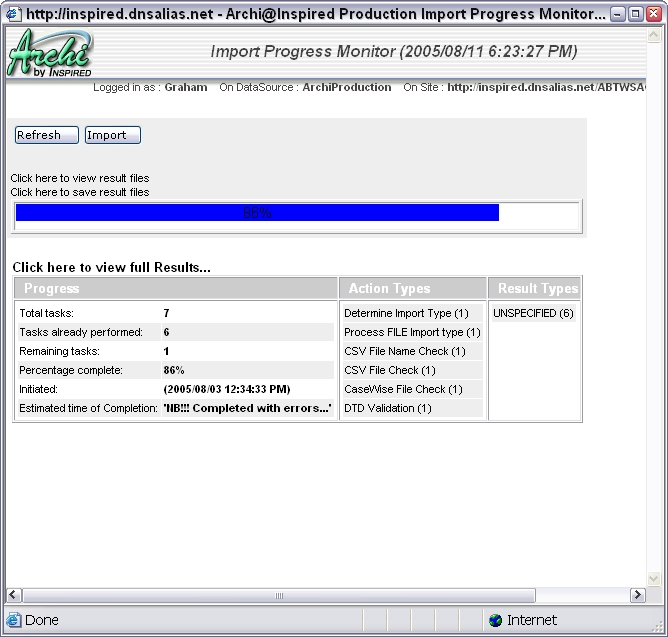
Import Progress MonitorArchi can handle very large imports. These can take a considerable time. This tool allows you to view the progress or results of an import process. It is presented automatically following an import (when it completes) so that you can view the results of the import. If you want to view progress before the import completes, or to view the results of the last import run, you can select the utility directly from the main system menu. The report provides a summary of the number of tasks in the import process, how many have been performed, how many remain, what percentage of the process is complete, when it was initiated and when it is expected to complete. It also lists the types of actions involved and the results generated by these. The results are put into categories. You can click the links for these to see detailed import results for the category chosen. The display will automatically update every few seconds. The Refresh button allows you to update the query. You can also click the links to see previous result files, or to save the current file for future viewing. Files are saved on the server in a designated directory with a directory per import operation (date and time stamped) and a file per import action, per result type and for the overall import statistics. They are saved in CSV format so that spreadsheet type analysis can be performed on them. They also record the time taken for the various operations. To see a full explanation of the import results reported, please link to the Import Tool documentation.
|